The Problem
One evening, my grandfather fell at home. He was alone, and he could not reach his phone. He lay on the floor for a while before someone came to help.
Later, I learned that Apple Watch has a fall detection feature. When it detects a hard fall, it can automatically call for help. But most people, including my grandfather, do not own an Apple Watch. The feature only works if you can afford a $400 device.
I thought: what if I could build something similar using just a regular phone?
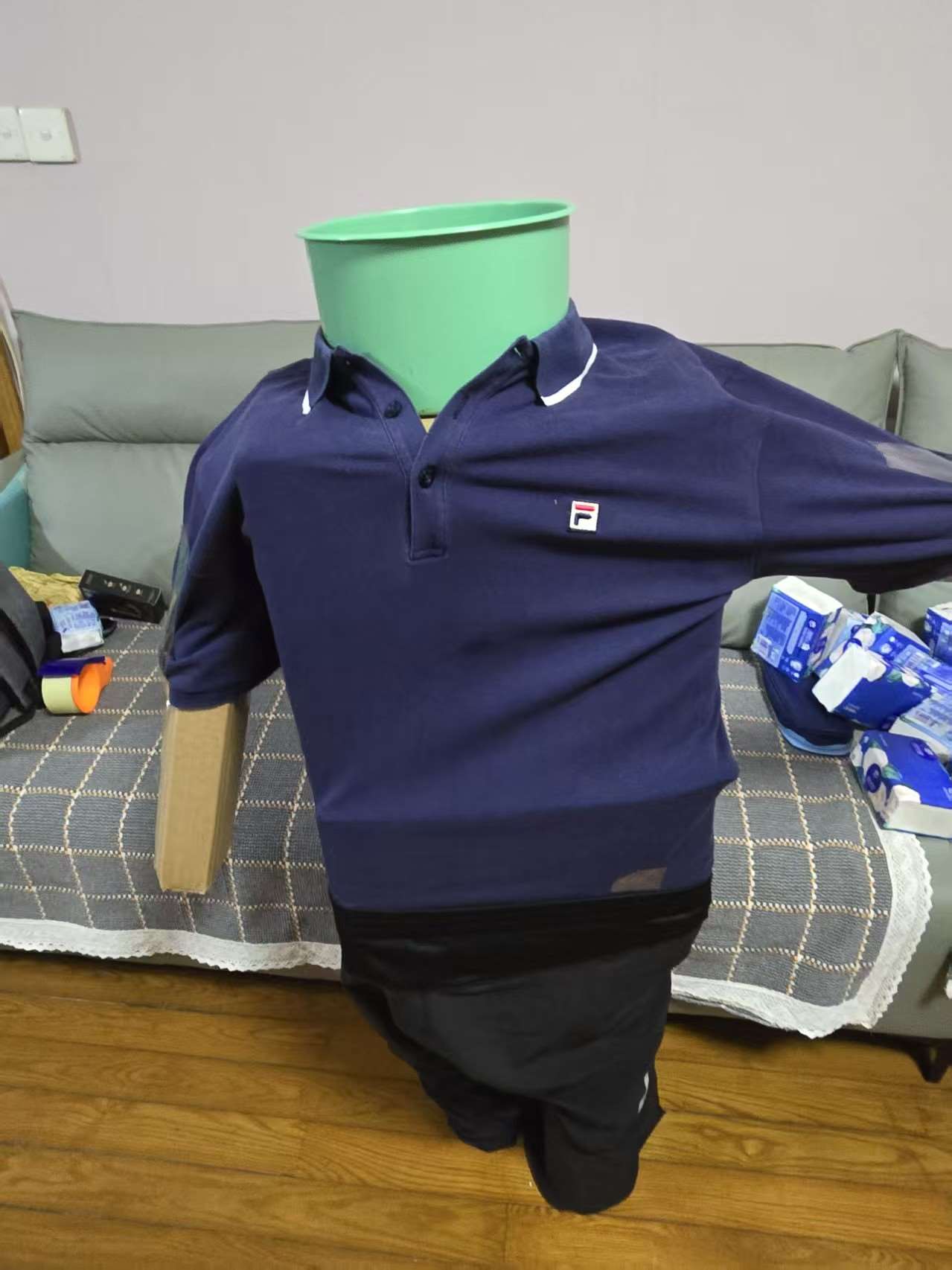 Figure 1: Test dummy setup for physical fall simulation experiments.
How It Works
Every smartphone has an accelerometer. It measures the forces on the phone, the same component that lets your screen rotate when you tilt your phone.
A fall has a clear acceleration pattern. When you trip, your body first accelerates downward (free fall / gravity pull). When you hit the ground, you get a sharp acceleration spike. Then there is a period of near-zero movement: you are lying on the floor, not moving.
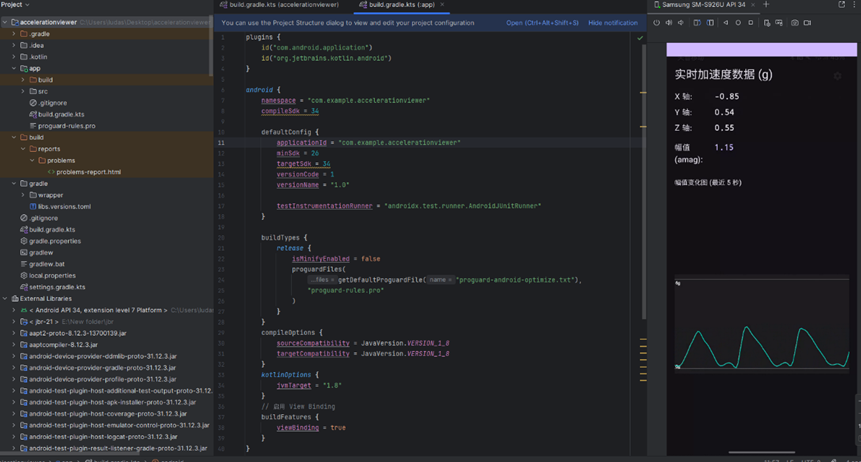 Figure 2: Real-time triaxial accelerometer telemetry and resultant magnitude plot.
I built an app that continuously monitors the accelerometer in the background. When it sees this signature pattern (a downward spike followed by stillness), it sets off an alarm. The user can dismiss it within a grace period if they just dropped the phone, or let it automatically send an emergency SMS message with location data.
Building It
I taught myself Kotlin for this project. I had some experience with C from a previous competition, but Kotlin was different. The syntax was cleaner, and Android’s background service architecture had its own rules.
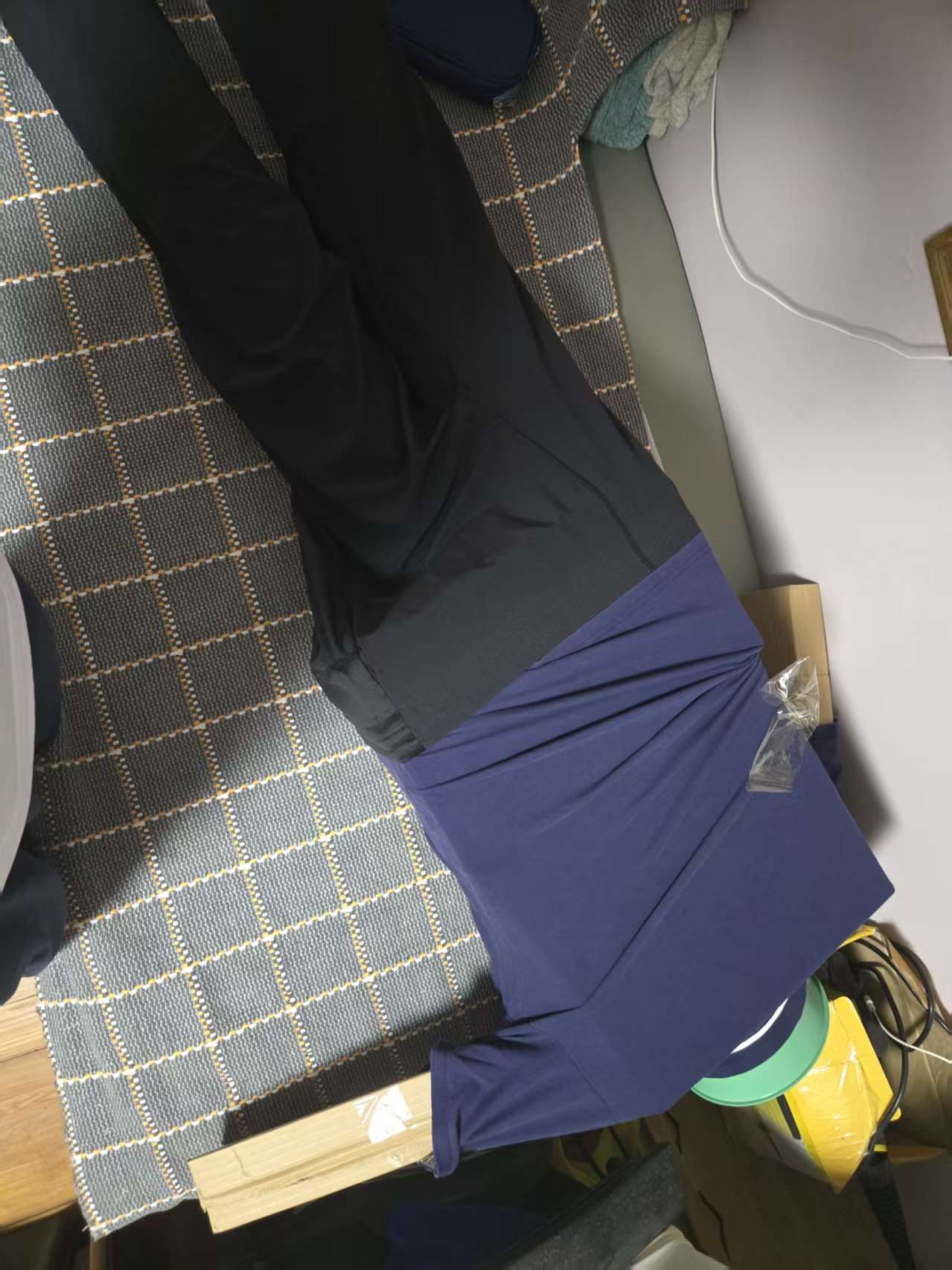 Figure 3: Alternative impact trajectory testing using mechanical dummy.
The hardest part was tuning the detection thresholds. If the sensitivity is set too high, the app triggers false alarms every time you place your phone on a hard table. If it is too low, it misses actual falls.
I spent substantial time testing across different daily scenarios:
- Walking normally: no trigger
- Running and jogging: no trigger
- Dropping the phone onto a soft sofa: no trigger
- Dropping the phone onto a hard floor: trigger (simulates a fall)
- Sitting down quickly: no trigger
I collected acceleration logs from each trial, adjusted the magnitude thresholds and stillness windows, and re-tested.
The Moment It Worked
When I tested it myself, I simulated a fall by dropping the phone onto a cushioned surface while tracking the state machine. The alarm started screaming loudly, confirming the state transition from impact to stillness had registered.
That was when I knew this was not just an exercise anymore. It was a tool that addressed a genuine problem.
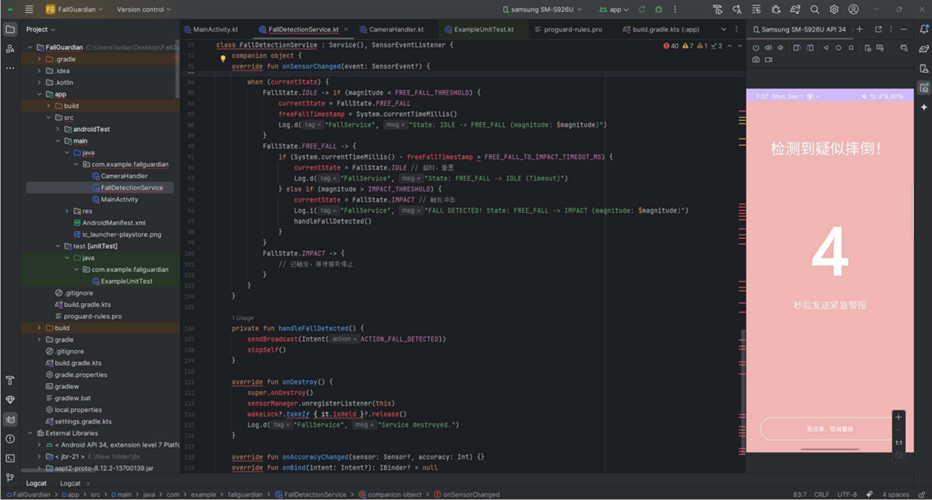 Figure 4: Background watchdog service implementation and emergency countdown UI.
Emergency Dispatch Verification
When the countdown timer expires without cancellation, the app takes two automated actions: captures a scene photo using the front/rear camera and sends an emergency SMS broadcast with GPS coordinates.
 Figure 5: SMS emergency dispatch trigger and location broadcast verification.
English Translation of Alert Notification (Figure 5):
- Timestamp: 8:02 PM
- Alert tag ([安全警报]): [Safety Alert]
- Detection message (检测到用户可能摔倒!): Possible fall detected!
- Camera action (现场照片已拍摄。): Site photo captured.
- Coordinates (位置信息:…): Location coordinates: [Coordinates blurred for privacy]
What I Learned
This project showed me that technology does not have to be expensive to be useful. A $400 Apple Watch can detect falls, but an accessible app running on an existing phone can perform the same core safety function.
I also learned the distinction between a lab prototype and a production system. Real commercial systems use multi-sensor fusion and extensive machine learning datasets. My prototype uses threshold-based acceleration curves and temporal state filters. For a high school project built on weekends, it established a reliable, working baseline.